Get MV Gallery
Available now · WordPress Plugin

MV Photo Client Orders

Client photo selection and ordering, simplified.

Give your photography clients a private, mobile-friendly gallery where they choose photos and products, and manage every order from your own WordPress dashboard — with protected folders, PIN access, order templates and consent handling built in.

Version 1.16.5 · WordPress 6.2+ · PHP 7.4+ · Free to use, 7-day PRO trial included

Everything for client photo orders

From the private gallery link your client opens to the order you fulfil — in one WordPress plugin.

Private client galleries

Every gallery has its own private link. Clients open it on any device — no account needed.

Photo and product selection

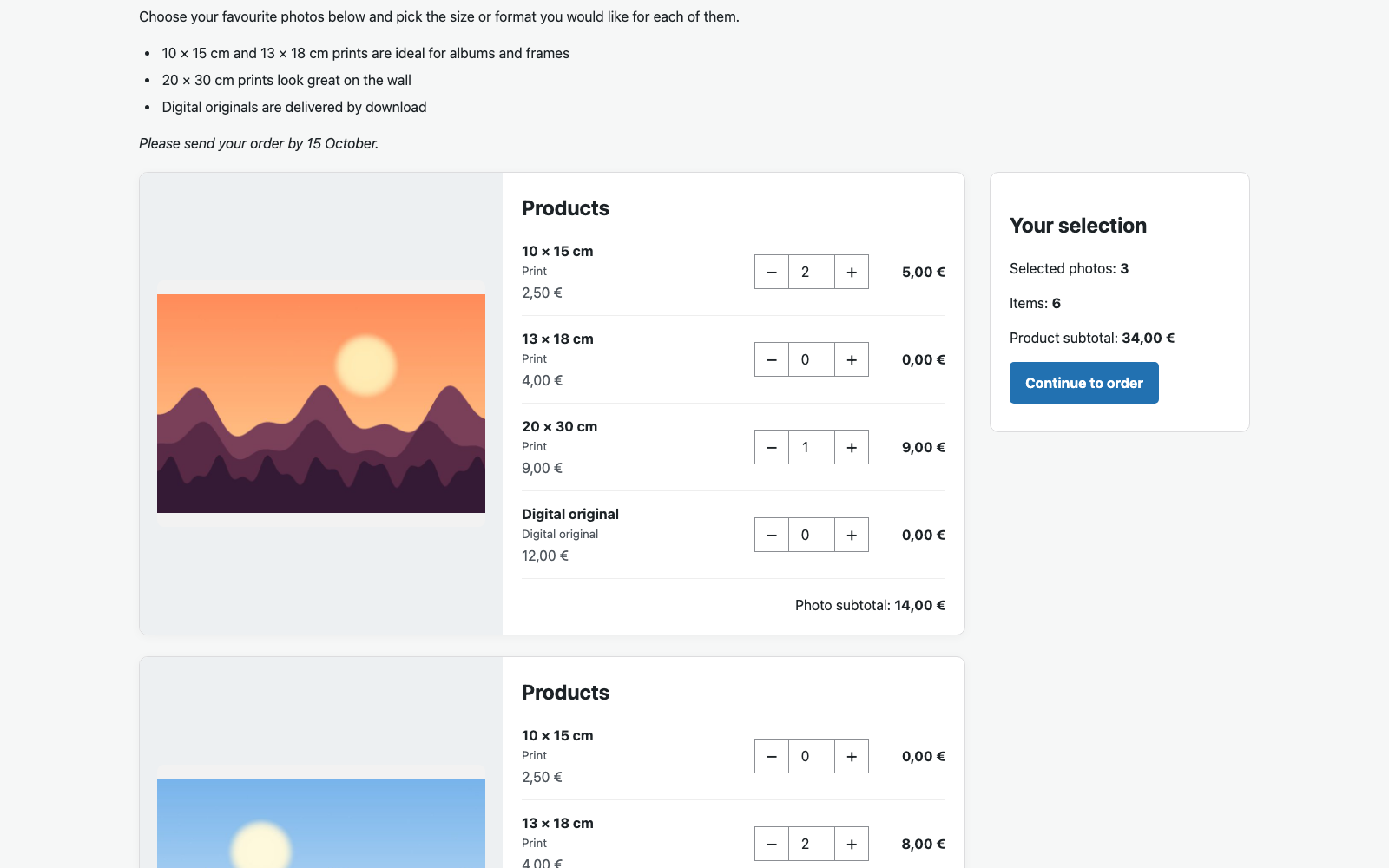
Clients pick photos, choose print or digital products and quantities, and see live totals and a cart review before they order.

Client orders

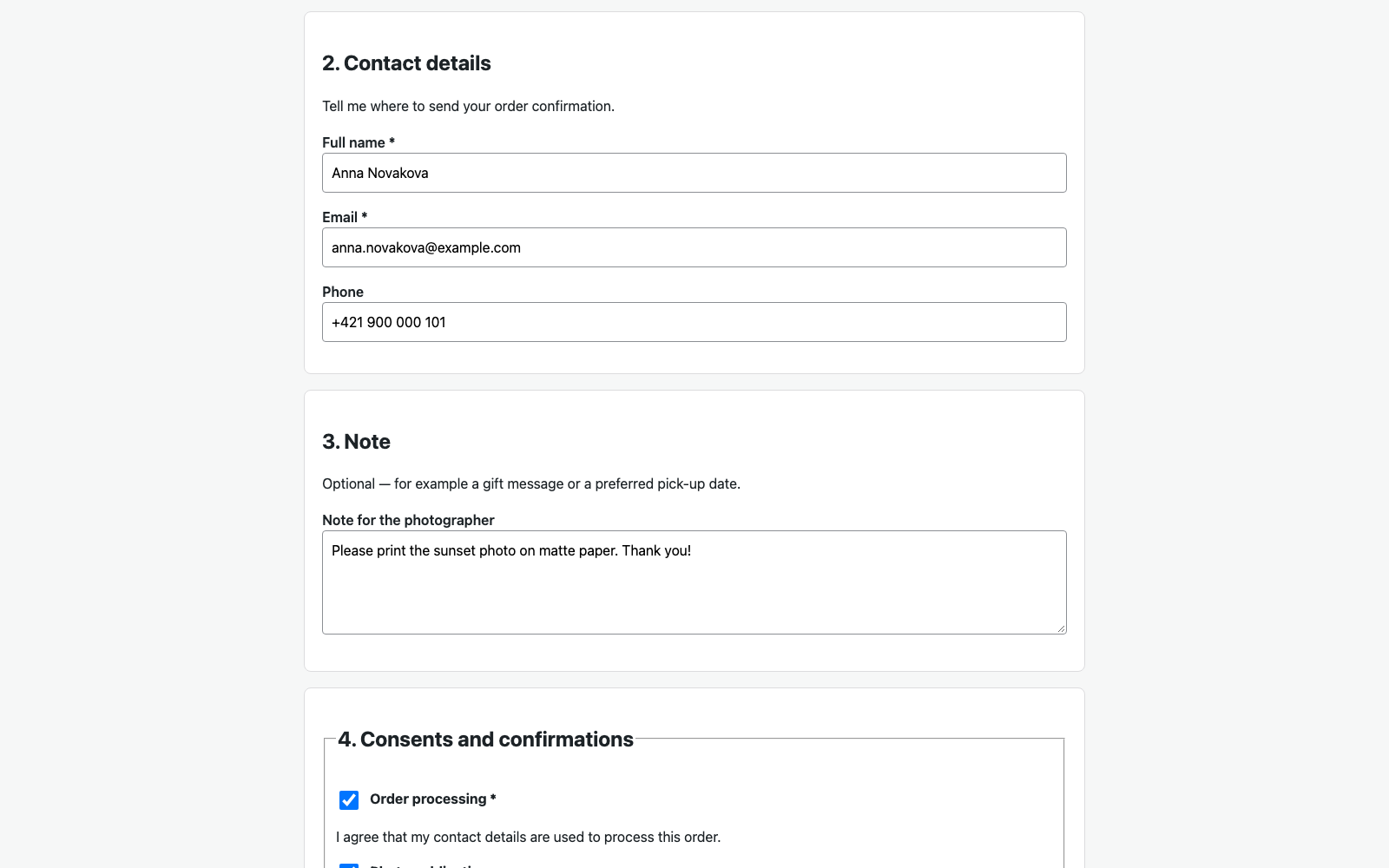
A guided checkout collects contact details, an optional note and consent confirmations. Each order is stored as an unchangeable snapshot with a confirmation page.

Order management

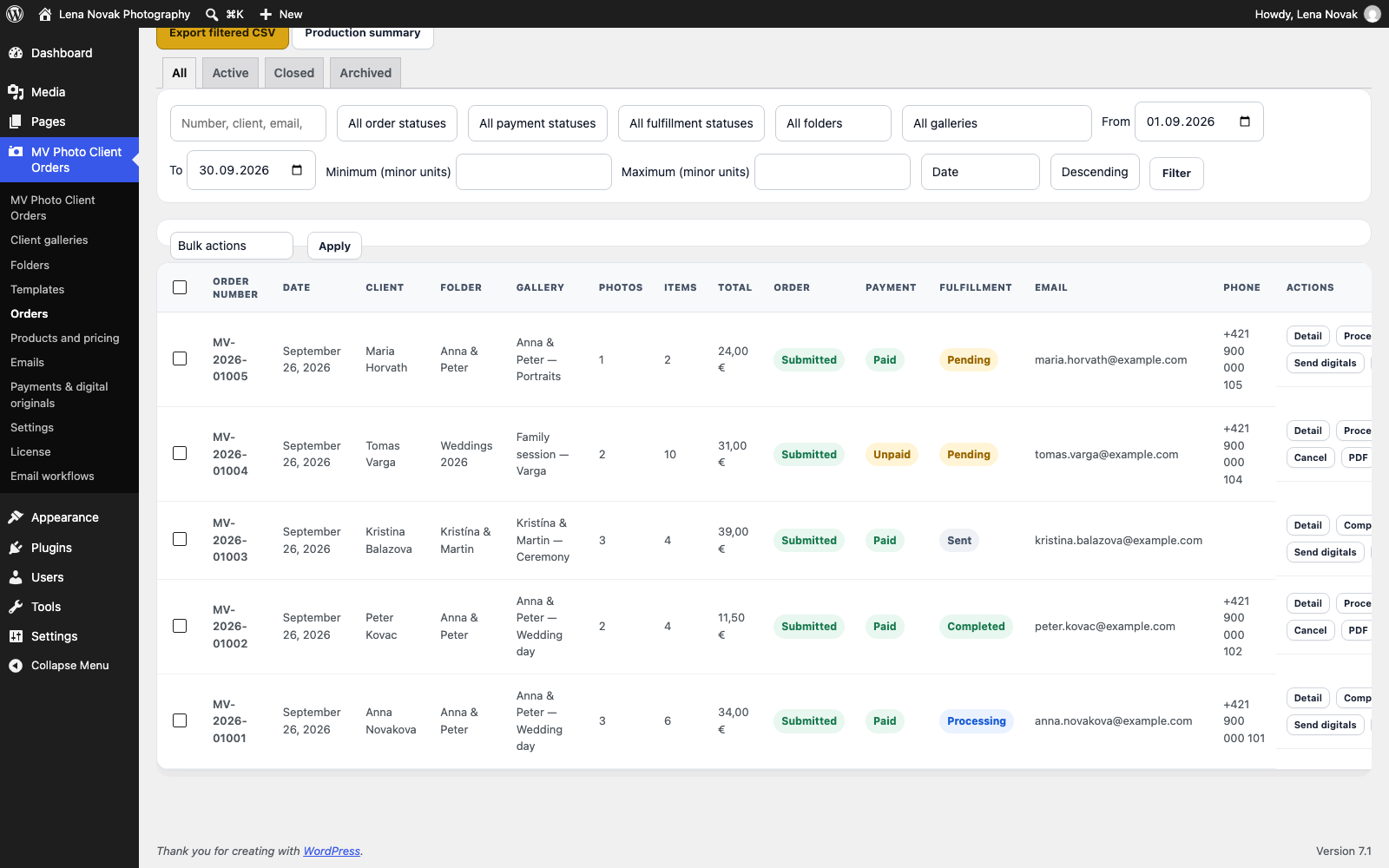
Search and filter orders, update their status, add internal notes, cancel or restore orders, and export them to CSV.

Folders and public client galleries PRO

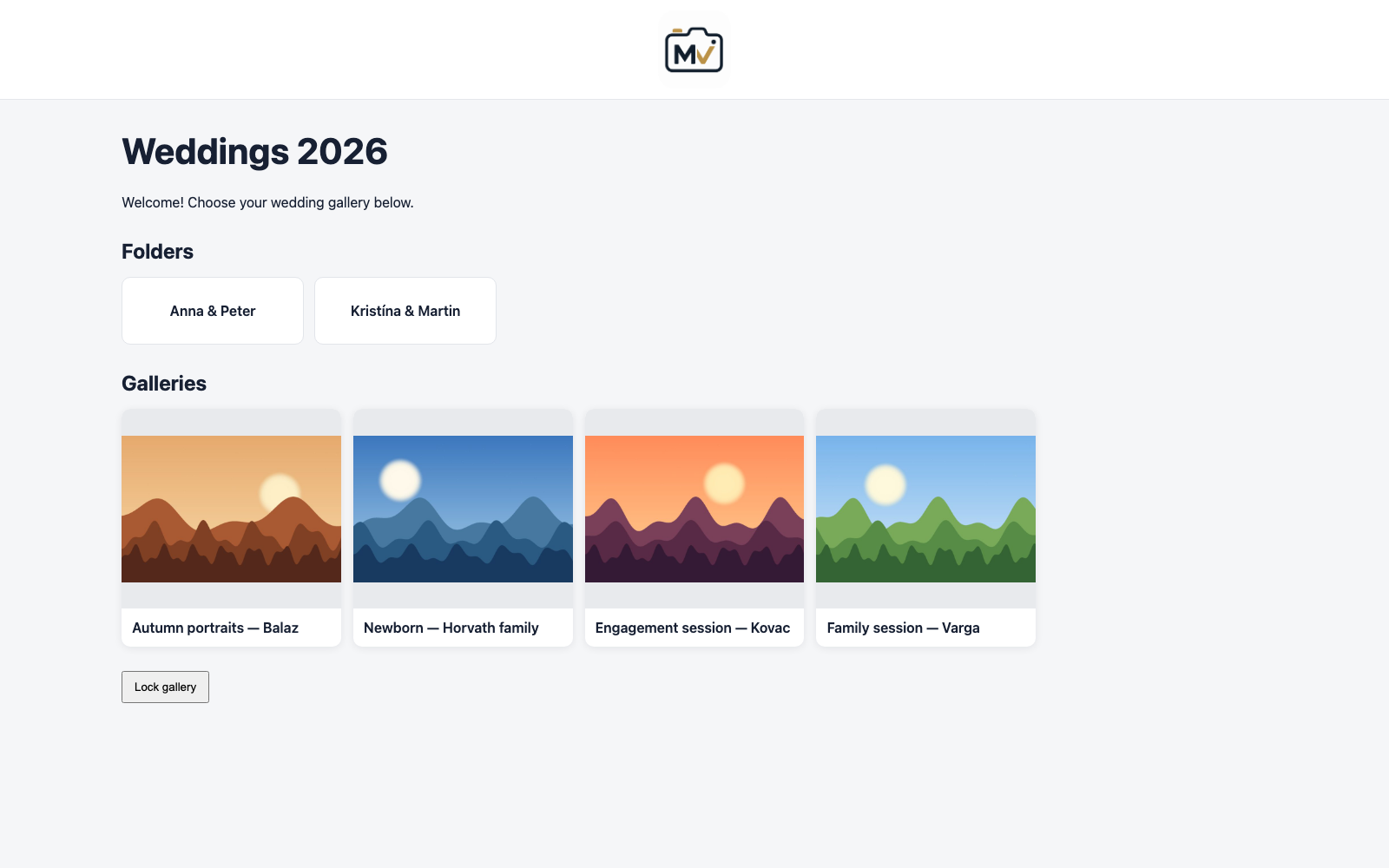
Organise galleries in folders and subfolders and share a folder page with clients, or embed it with a shortcode.

PIN protection

Protect a gallery with a PIN. PRO adds one shared PIN for a whole folder and automatic PIN generation.

Configurable products and pricing

Set up print and digital products with prices in EUR — as defaults, per template or per gallery.

Templates

Reusable templates keep products, contact fields, client texts, consents and protection settings together. Free includes one active template; PRO removes the limit.

Client texts with formatting

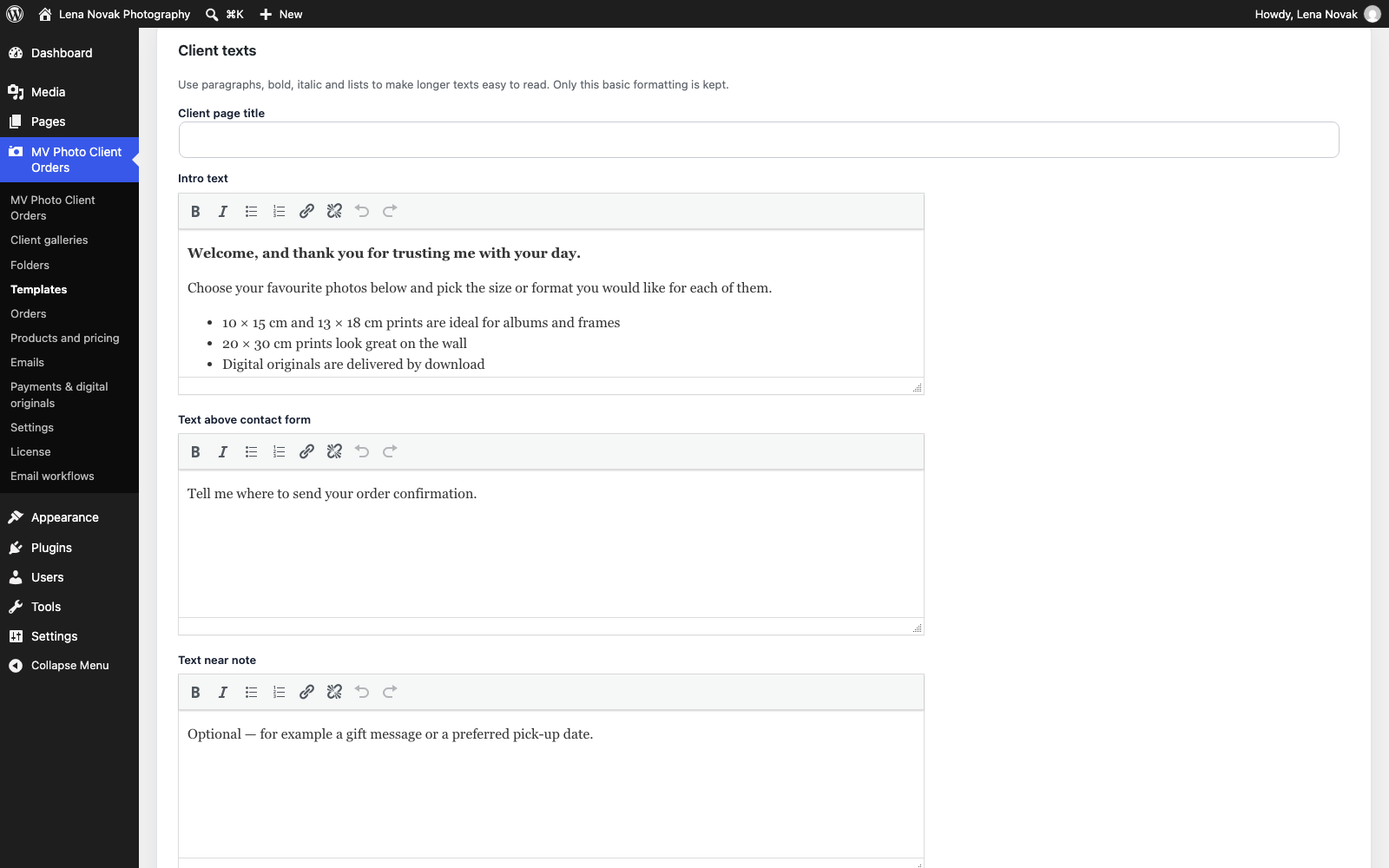
Write the intro and checkout texts your clients see with paragraphs, bold, italic, lists and links.

Contact fields and notes

Choose which contact details to ask for and whether clients can leave a note with their order.

Consent handling

Define your own consents per template. The exact wording and the client's answer are saved with every order and never change afterwards.

Digital delivery PRO

Deliver original files securely to clients where digital products are ordered.

Email notifications

Configurable order emails. PRO adds advanced email templates and automation rules.

Exports and reports PRO

Basic CSV export is included. PRO adds PDF orders, advanced exports, order reports and a production summary.

Watermarks PRO

Show cached watermarked previews to clients while your originals stay untouched.

English and Slovak

Switch the plugin between English and Slovak under Settings → General.
See it in action

Client gallery: a client choosing photos and products
Clients choose photos and products in a private, mobile-friendly gallery
Client checkout: contact details, note and consents
A clear checkout with contact details, a note and your own consents
WordPress admin: the Orders list and an order detail
Manage every order from your WordPress dashboard
A public client folder with PIN protection
Public client folders with PIN protection
WordPress admin: the template editor
Templates keep products, texts and consents together
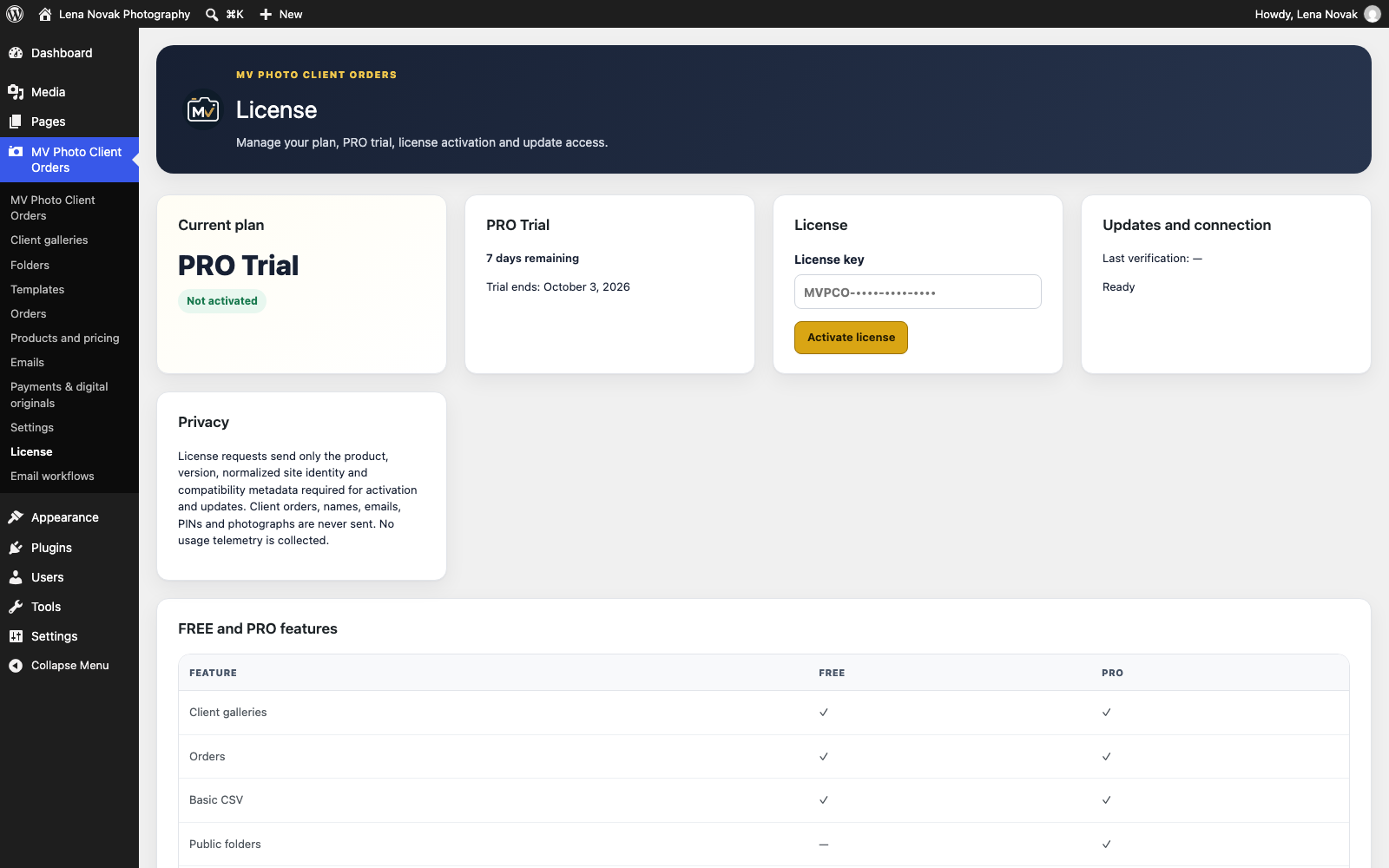
WordPress admin: the License screen showing the PRO trial
See your plan, trial days and license in one place

Free vs PRO

Free is a complete, usable plugin for one website — it never expires. PRO adds the tools for busier studios.

FeatureFreePRO
Websites1 websiteSolo 1 · Studio up to 3 · Agency up to 5 · Lifetime 1
Client galleries and photo selectionIncludedIncluded
Client orders and order administrationIncludedIncluded
Contact fields, notes and consentsIncludedIncluded
PIN-protected galleriesIncludedIncluded
Active templates1Unlimited
Public folders and shortcode—Included
Shared folder PINs and automatic PINs—Included
Bulk tools for folders, galleries and orders—Included
Advanced templates—Included
Advanced checkout and custom checkout fields—Included
CSV exportBasicAdvanced
PDF orders, order reports and production summary—Included
Secure digital delivery—Included
Watermarked previews—Included
Email notificationsBasicAdvanced templates and automation
White-label options—Included
Updates from the WordPress update screenIncludedIncluded

Get started in minutes — Free or with the 7-day PRO trial

There is one plugin. Install it once: it starts with a 7-day full PRO trial (no card needed) and then simply continues as Free unless you activate a PRO license.

  1. Download the pluginGet MV Photo Client Orders as a ZIP file. No account, no license and no card are needed. Download Free (version 1.16.5)SHA-256 c8c323228c717b5b32d34255e8c6fc750ce1f3529894a604a5a901dfbcb80304
  2. Install it in WordPressIn your WordPress dashboard go to Plugins → Add New → Upload Plugin, choose the ZIP file and click Install Now.
  3. Activate itClick Activate Plugin. On a new website the 7-day PRO trial starts automatically — all PRO features are unlocked and no payment card is required. You can see the remaining days under MV Photo Client Orders → License.
  4. After 7 daysThe plugin continues as Free for one website — your galleries, orders and settings are kept. To keep the PRO features, buy a PRO plan and enter your license key.

The trial is started by the plugin on your own website — clicking a button on this page does not create it. The plugin sends only product and site compatibility information to check the trial and license; orders, client details, PINs and photographs are never transmitted.

Plans and pricing

Start free, or try every PRO feature for 7 days — no payment card required.

Free

€0

1 website

Core client galleries and orders. No license required.

Download Free

7-day PRO Trial

Free

Full PRO — no credit card required

Install the plugin and activate it: the trial starts on your website. Afterwards you continue with Free.

Start Free Trial

PRO Solo

€79 / year

1 website

Annual subscription, renews automatically until cancelled

Available at launch

PRO Agency

€239 / year

5 websites

3 + 2

Annual subscription, renews automatically until cancelled

Available at launch

Lifetime

€299

1 website

One-time payment, no subscription

Available at launch

Prices in EUR. Payment is processed securely by Stripe; MV Software never sees your card details. Activation limits are enforced by your license. Annual plans renew automatically until cancelled; Lifetime is a single payment with no subscription. Terms of Service · Refund Policy

What happens after you buy a PRO plan

A short guide from payment to an active PRO license.

  1. Choose a plan and pay securelyPick PRO Solo, Studio, Agency or Lifetime, enter your billing details and confirm the payment on the Stripe payment page. Your card details go to Stripe only.
  2. Payment confirmationStripe confirms the payment to our system automatically — you do not need to do anything. If you are not sent to a confirmation page, wait a moment: the confirmation still happens in the background.
  3. Check your emailYou receive an order confirmation and an email with a one-time link to claim your license key. The link works once and expires, so open it soon and store the key safely. The key is never shown publicly on this website.
  4. Your customer accountThe emails also link to your MV Software customer account, where you can see your license, subscription and billing documents, and generate a new license key if you ever lose it.
  5. Install and enter the keyInstall MV Photo Client Orders (if you have not yet), then open MV Photo Client Orders → License in WordPress, paste the license key and click Activate license.
  6. PRO is activeThe plugin shows the PRO plan. One license key can be active on as many websites as your plan allows: Solo 1, Studio up to 3, Agency up to 5, Lifetime 1. You can deactivate a website in the same License screen to move the license to another site.

Need help? Write to support@mvsoftware.eu and mention your order.